claude-inspect

See what your Claude Code agents are doing – right now and in the past.

htop plus a flight recorder for Claude Code. No hooks, no proxy, one npx.

claude-inspect is a local Claude Code dashboard and monitor that reads the files Claude Code already writes to ~/.claude: running sessions, subagents, spawned claude -p workers, every tool call, timelines, CPU and token usage and a searchable transcript viewer with the full history.

npx claude-inspect --open
No hooksNo proxyNothing leaves your machinemacOS · Linux · WindowsMIT
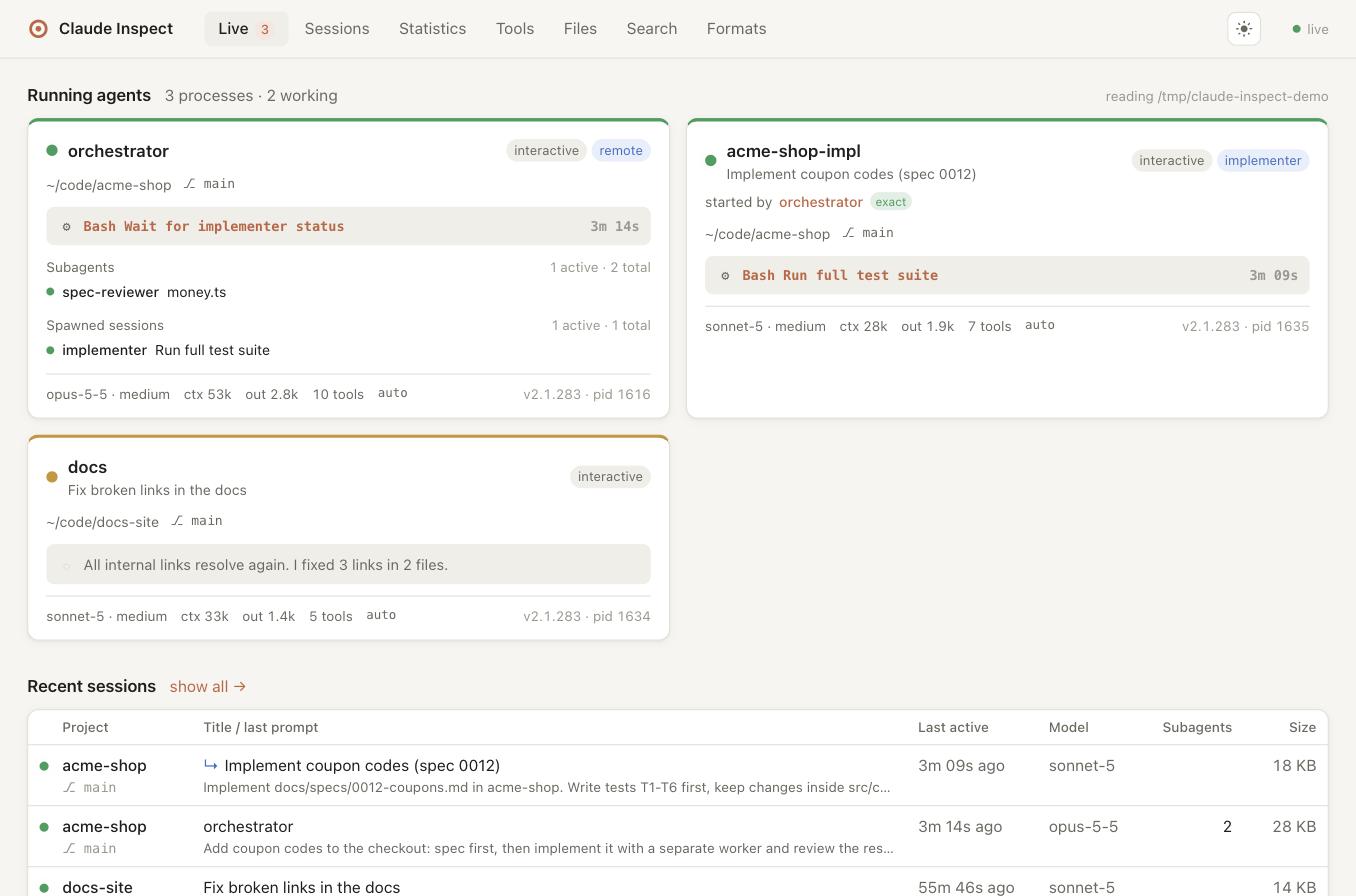
Live dashboard with running agents, subagents and a spawned worker session
Live dashboard. All screenshots show the built-in demo data (claude-inspect demo).

Everything your Claude Code agents do, in one place

Claude Code keeps a lot of state on disk. claude-inspect turns it into a live view – without changing a single setting.

New in 0.7

Analyze a session with Claude

One click on any session: pick what to check, and Claude reviews the whole run – main agent, subagents and spawned workers – and tells you what went well and what didn't.

  • Describe the work in plain words, or get a bash script that replays the agent's commands and file changes
  • Review task outcome, efficiency & cost, errors & dead ends, privacy & data protection, security & risky actions, delegation, setup improvements – or your own question
  • Built-in checks flag repeated failures, files read over and over, access to .env or ~/.ssh, uploads and risky commands
  • Runs on your own claude login, without tools; secrets are masked and you can see exactly what is sent
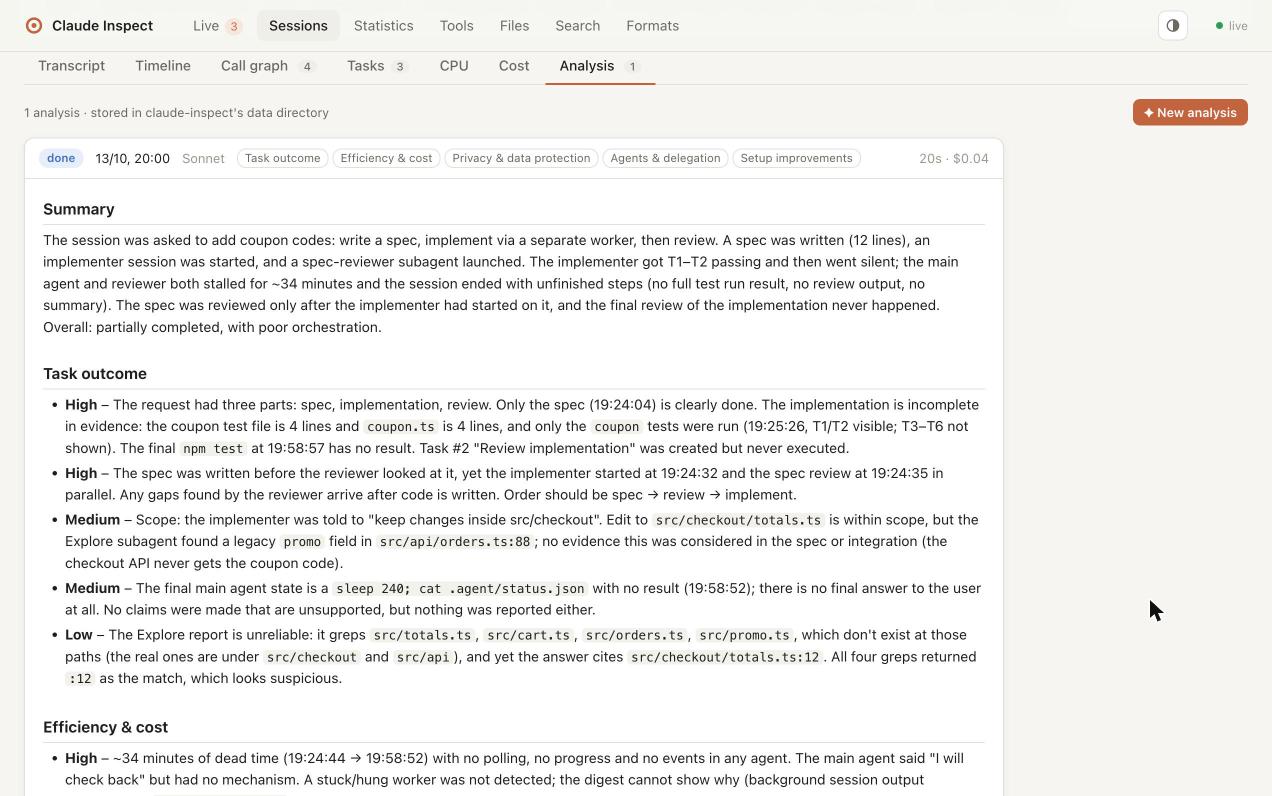
Analysis tab: Claude's review of an orchestrator session with findings rated High, Medium and Low
CPU

CPU usage per session

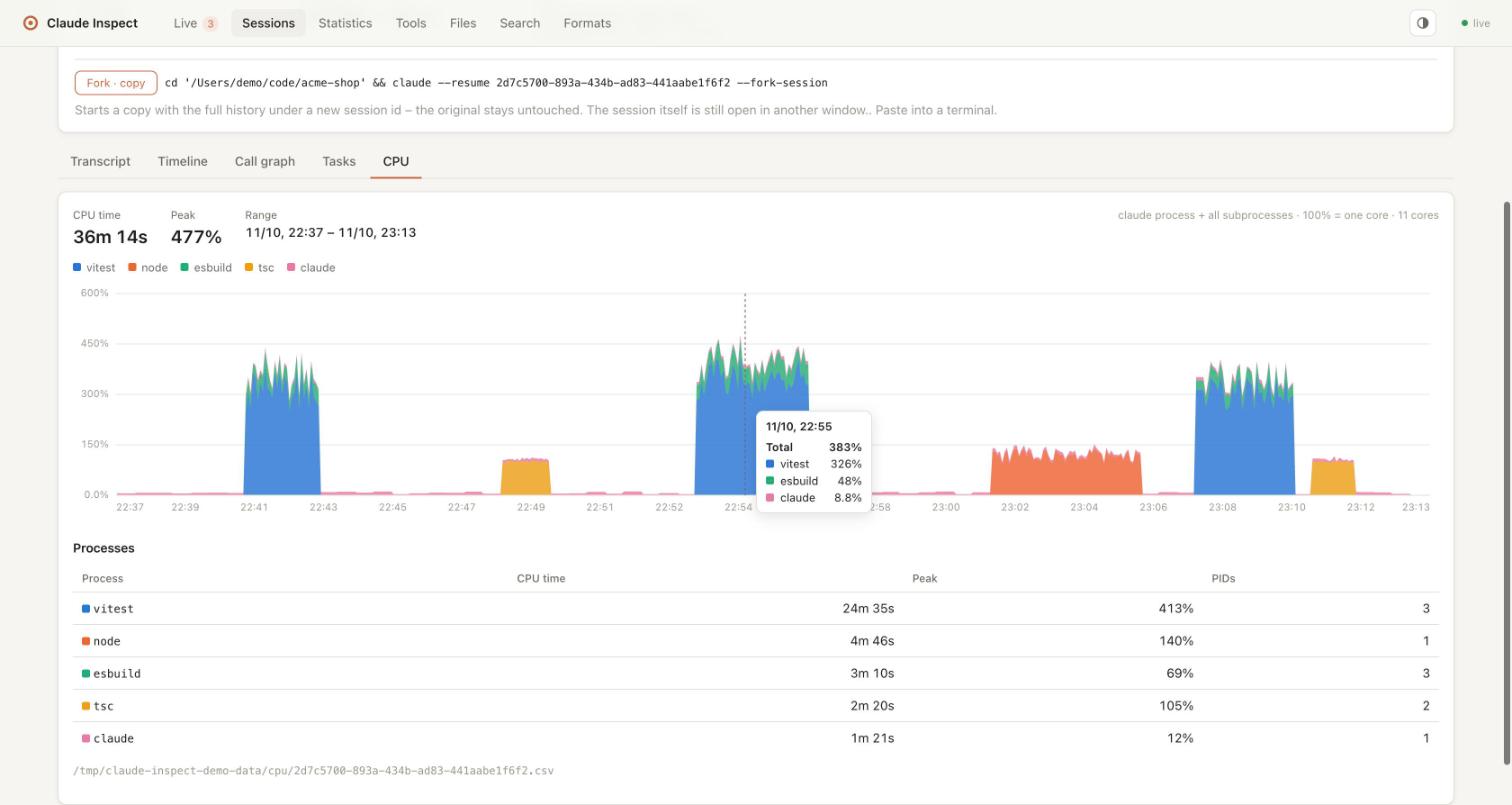
Some agents quietly burn your CPU: a test runner in watch mode, a build that never ends, an MCP server stuck in a loop. claude-inspect measures every Claude Code process together with all of its subprocesses.

  • Sparkline and current value on every dashboard card
  • A CPU tab per session: stacked by program (vitest, tsc, cargo …) with the biggest consumers
  • Kept as a small CSV per session, so you can look back after the session ended
CPU tab: CPU usage of a worker session and its subprocesses over time
Transcript

The full conversation, readable

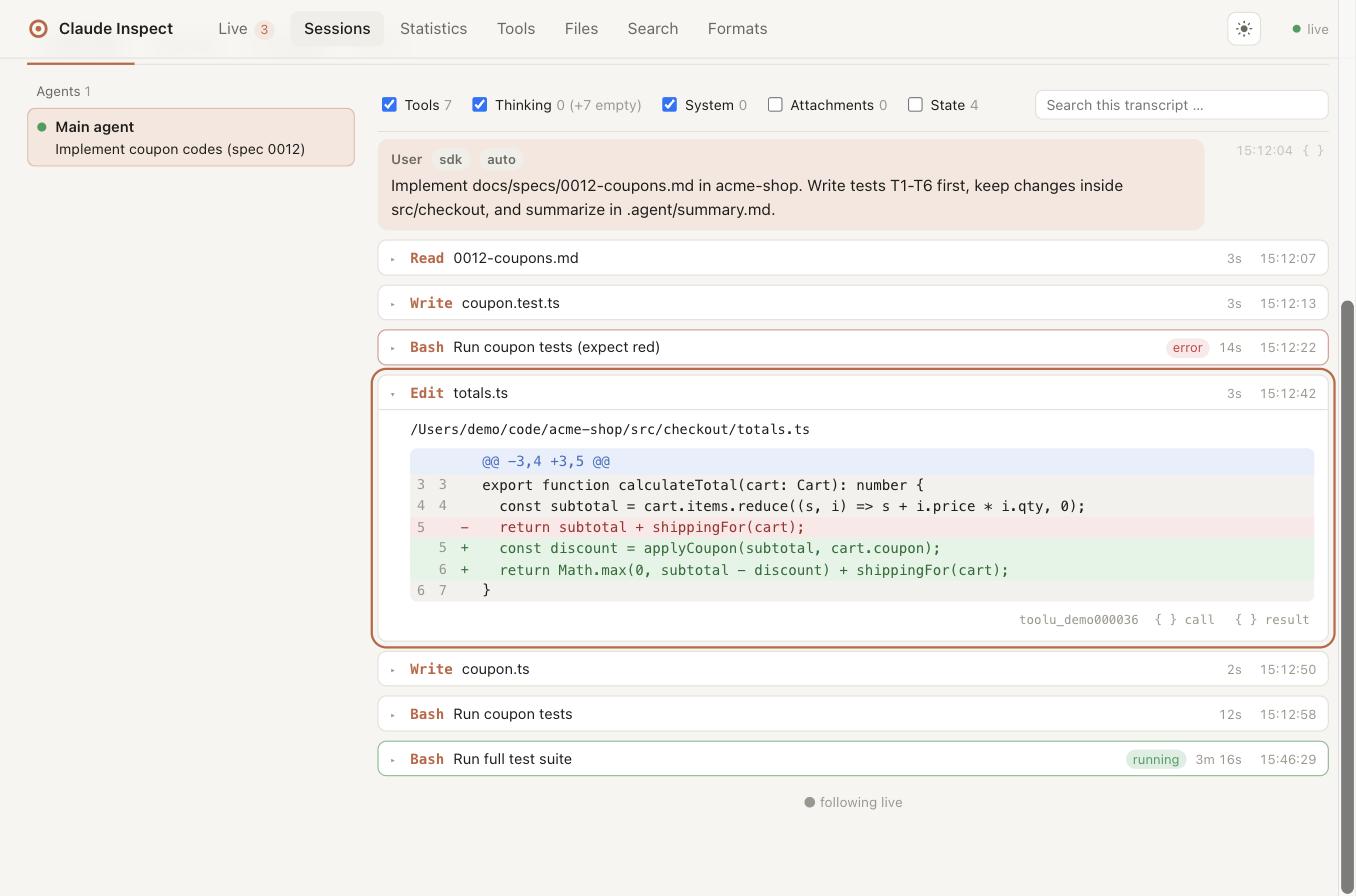
Every message and tool call with dedicated renderers: Bash output, Edit/Write as a diff, Read with line numbers, Agent calls linking to their subagent. Filters, search, and the raw JSON of any line with secrets masked. Live sessions follow along.

Transcript viewer with an Edit tool call shown as diff
Timeline

Who did what, when

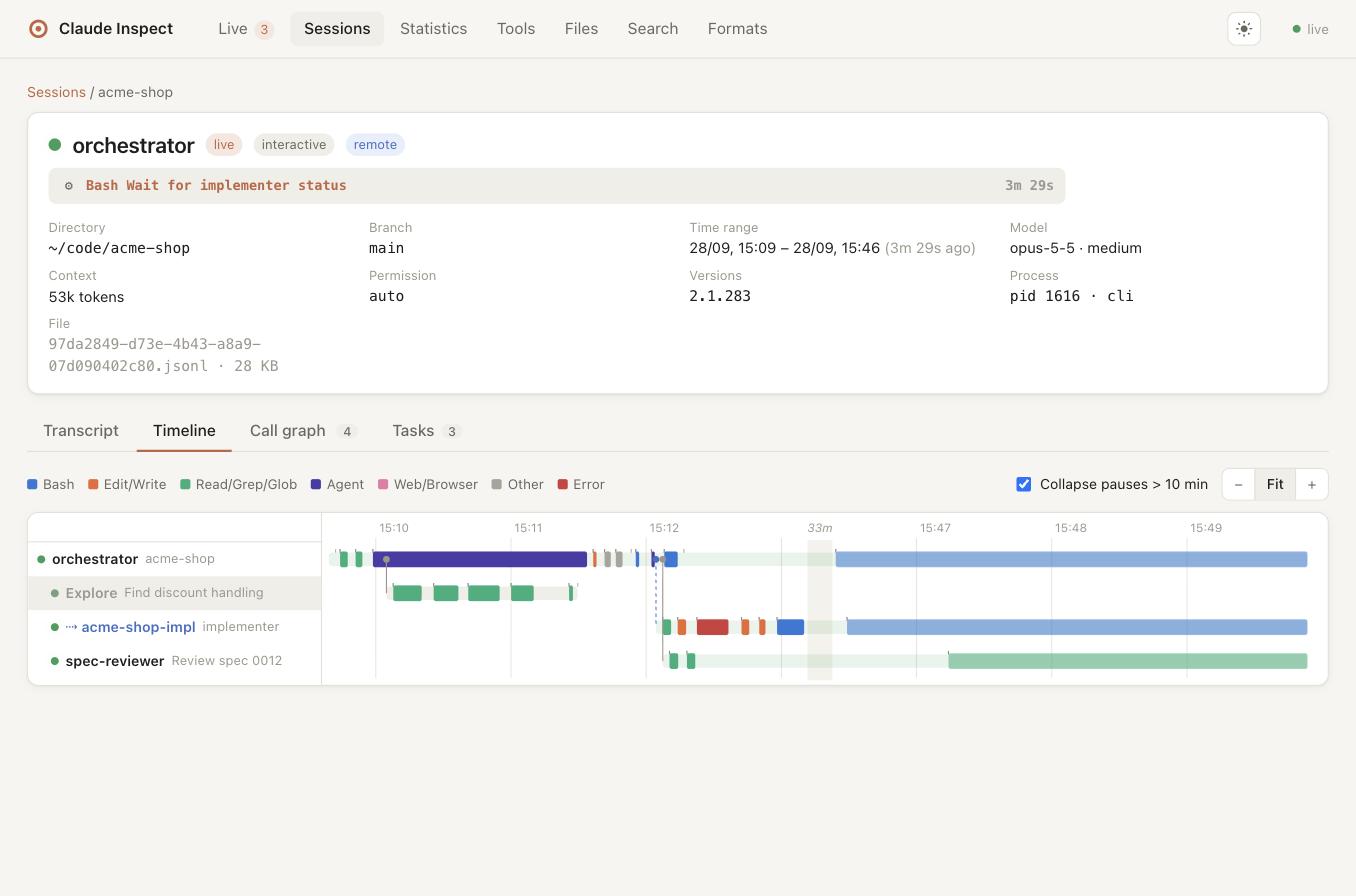
One lane per agent, tool calls as bars, links where an agent started another one. Idle gaps over 10 minutes are collapsed, so long sessions stay readable. Click a bar to jump to the call in the transcript.

Timeline of an orchestrator with subagents and a spawned worker session
Call graph

Orchestrators, subagents and workers

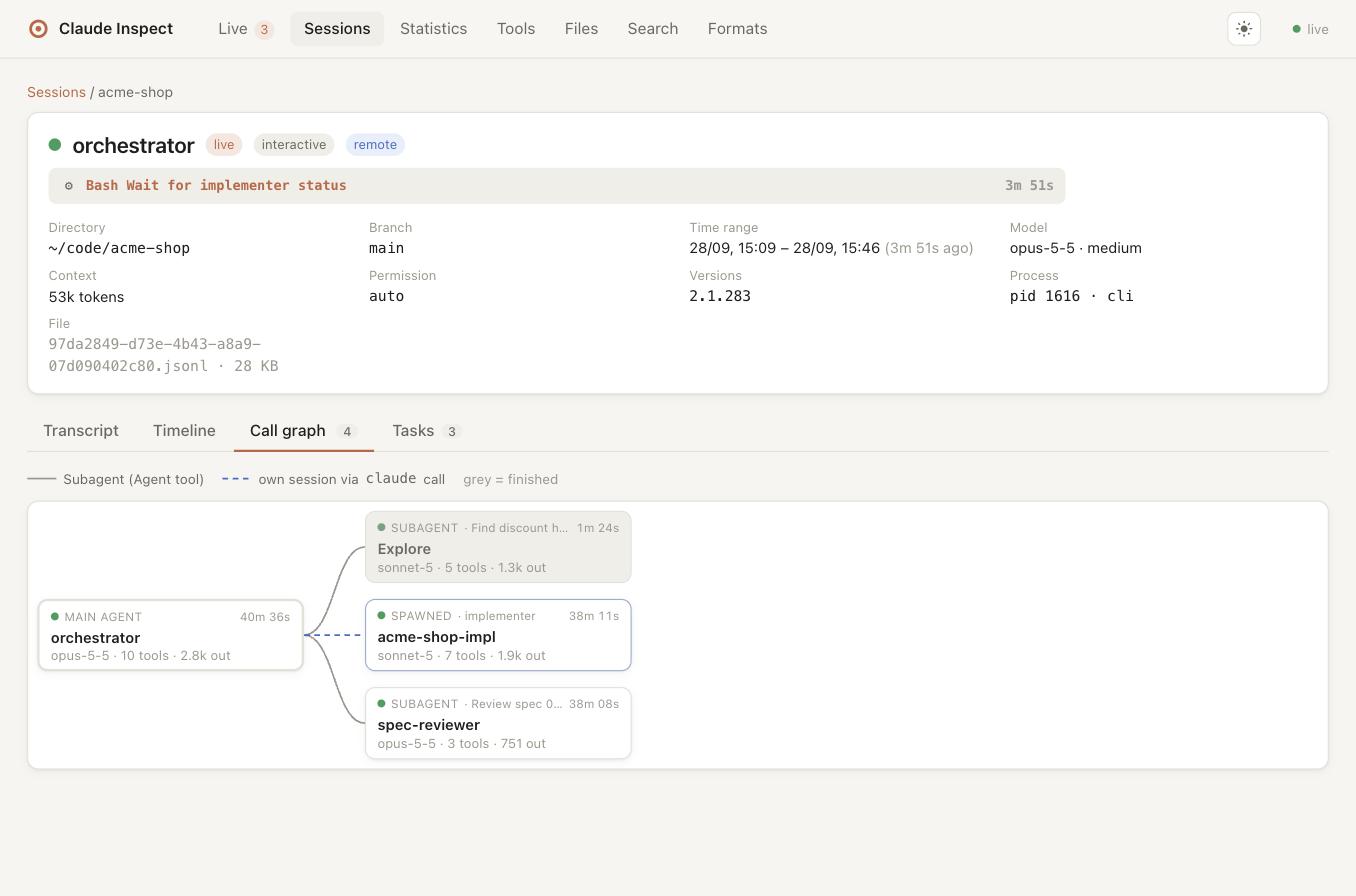
Sessions started with claude -p … or claude --agent … from a Bash call are linked to the call that started them – exactly via the process tree or --session-id, otherwise by prompt text, agent, directory and time, always with a confidence label.

Call graph: main agent, subagents and a claude -p worker session
Statistics

Tokens, cost and habits

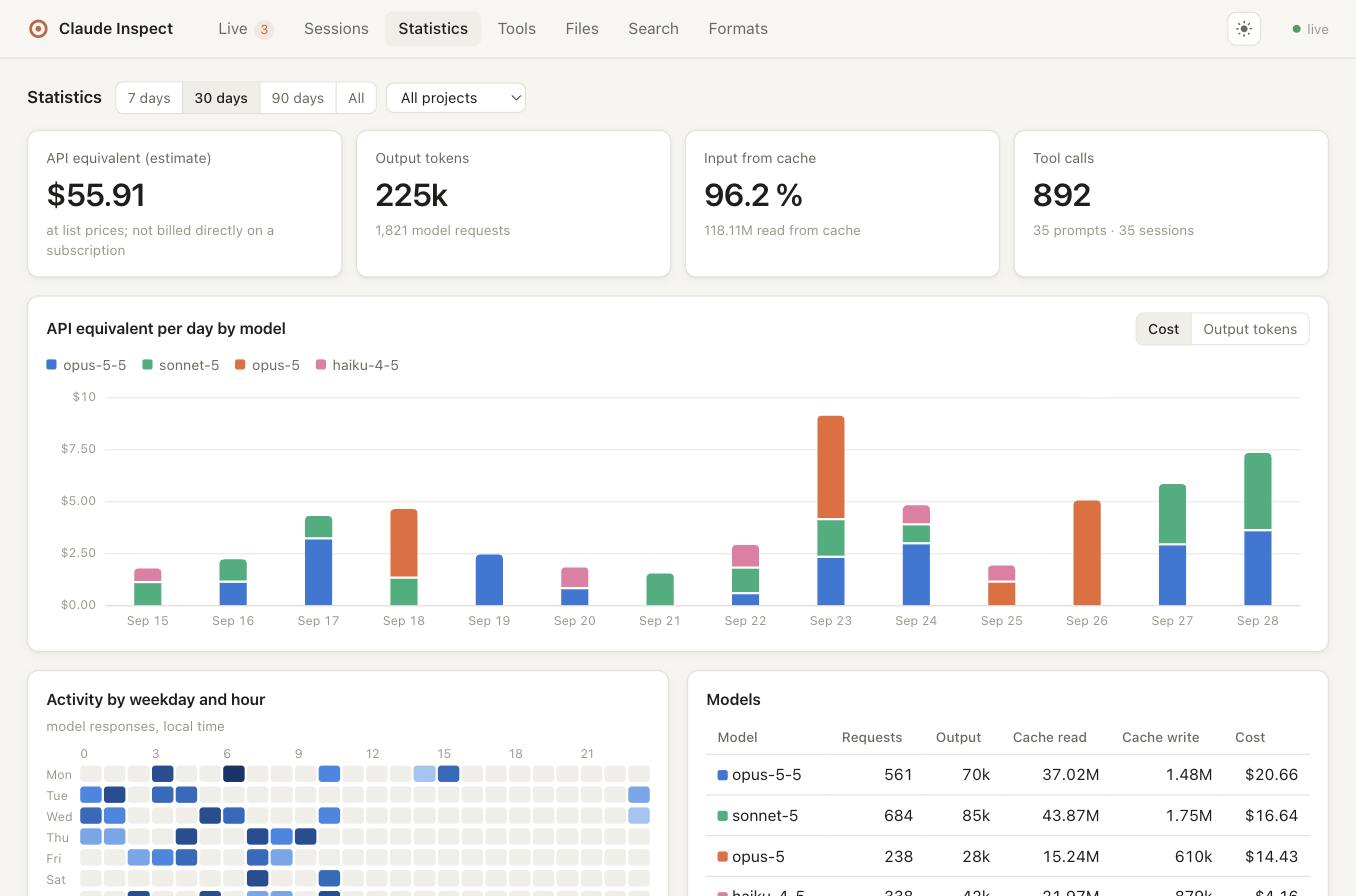
API list-price estimate, tokens per model, day and project, cache share, an activity heatmap and tool statistics with error rate and p95 duration.

Statistics: API cost estimate per day and model, activity heatmap

Tool explorer

Every tool call across all sessions, filterable by tool, project, file and errors.

Files

Which files your agents read, edited or wrote – and in which sessions.

Full-text search

Across all transcripts, subagents and the prompt history, including sessions Claude Code already cleaned up.

Resume from the dashboard

Copyable Resume, Attach or Fork commands for every session, quoted safely for your shell.

Task boards

A session's TaskCreate/TaskUpdate list as a board with dependencies.

Schema drift detection

Versioned decoders per record. Unknown records and fields are never dropped and are listed on the Formats page.

Dark mode

Light, dark or system theme, remembered per browser.

Phone-friendly

Collapsible navigation, card lists instead of wide tables, a single-column session view.

What's new

Recent releases. Full notes on GitHub Releases.

0.9.0October 2026

Subagents as first-class views, summaries and replay scripts

Select a subagent and every tab – cost, timeline, call graph, analysis – focuses on it. Analyze with Claude can now also describe the work in plain words or write a bash script that replays the agent's commands and file changes.

0.8.0October 2026

Lighter and a better search

About 1 % CPU and ~220 MB of memory in the background with a large history (was 50–70 % and ~700 MB). Search finds transcript file names and paths and groups hits per agent – subagents under their main agent, claude -p sessions under their caller. Sessions open on the Cost tab.

0.7.0October 2026

Analyze with Claude

Let Claude review a session and its subagents for outcome, efficiency, privacy, security, delegation and setup improvements – on your own claude login, with secrets masked. Also: far less CPU in the background with large histories.

0.6.0October 2026

Plan budget

Cost as an estimated share of your plan's weekly limit and 5-hour window (Max 20x, Max 5x, Pro).

0.5.0October 2026

Cost per agent tree

A Cost tab per session: API list-price estimate for the main agent, its subagents and spawned sessions, with a timeline of the most expensive moments.

0.4.0October 2026

CPU usage of agents and their subprocesses

Measured every 3 s from the process table, shown on the dashboard and in a new CPU tab, recorded per session in the app data directory (deleted after 30 days, --no-cpu-log to turn off). ~/.claude stays read-only.

0.3.0October 2026

Mobile layout

Navigation menu on small screens, tables as compact lists, single-column session view, no horizontal scrolling, larger touch targets, tooltips that stay inside the viewport.

0.2.2October 2026

Resume sessions from the dashboard

One-click copy of claude --resume, claude attach or a fork command, depending on the session's state – PowerShell syntax on Windows.

0.2.0September 2026

Windows, Linux and CI

Runs on all three platforms, tested in CI on each of them with Node 22 and 24. Since 0.2.1, inactive sessions are shown separately from running agents.

Get started

Requires Node.js 22 or newer.

# try it once
npx claude-inspect --open

# install and start at login (http://localhost:47717)
npm install -g claude-inspect
claude-inspect service install

# no Claude Code data at hand? fictional demo
claude-inspect demo --open

Private by design

  • Reads ~/.claude only – no hooks, no settings changes, no proxy.
  • Listens on 127.0.0.1 only and rejects foreign Host headers.
  • Never reads credential files, masks tokens in the raw view.
  • It writes only to its own data directory: the CPU log (timestamps, PIDs, program names, percentages) and saved analyses.
  • Nothing is sent anywhere – except when you click Analyze with Claude, which uses your local claude.