 Lumaflip
Lumaflip
Double-click a photo. Flip through the whole folder.
The fast, free image viewer the Mac is missing. Lumaflip opens the image instantly, loads every other image in its folder in the order the Finder shows it, and gets the next one ready before you press →.
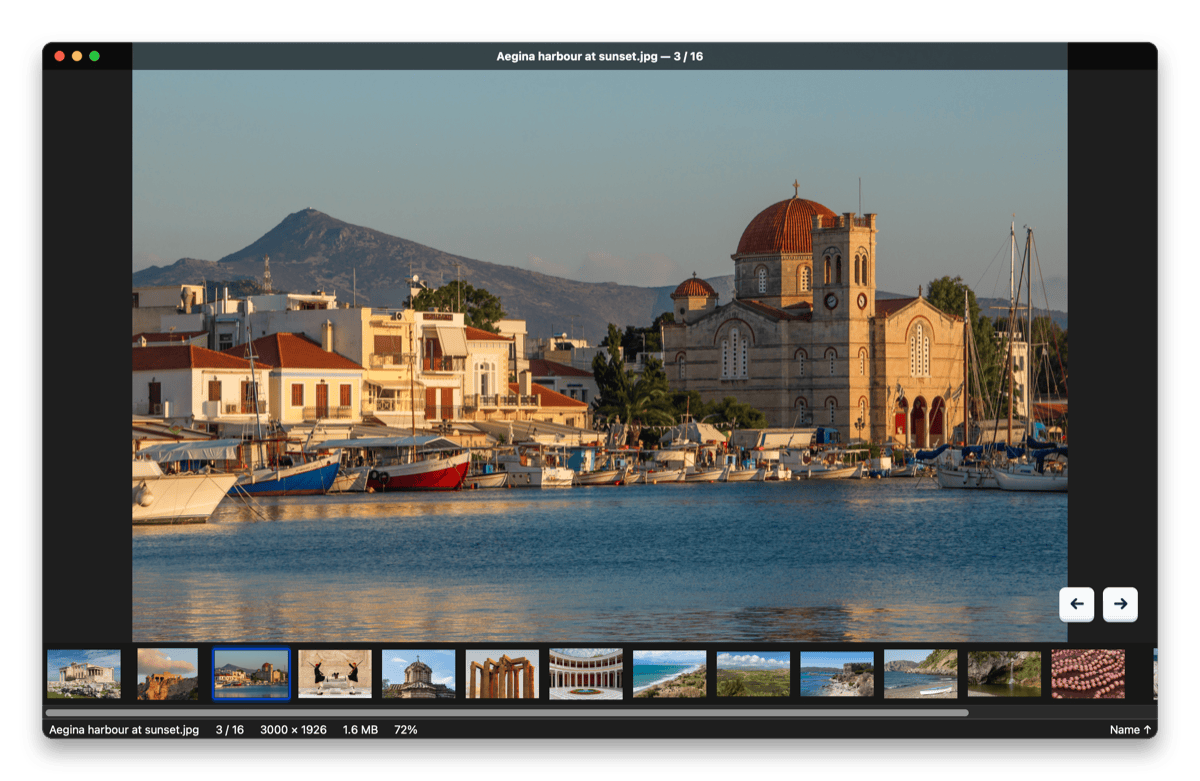
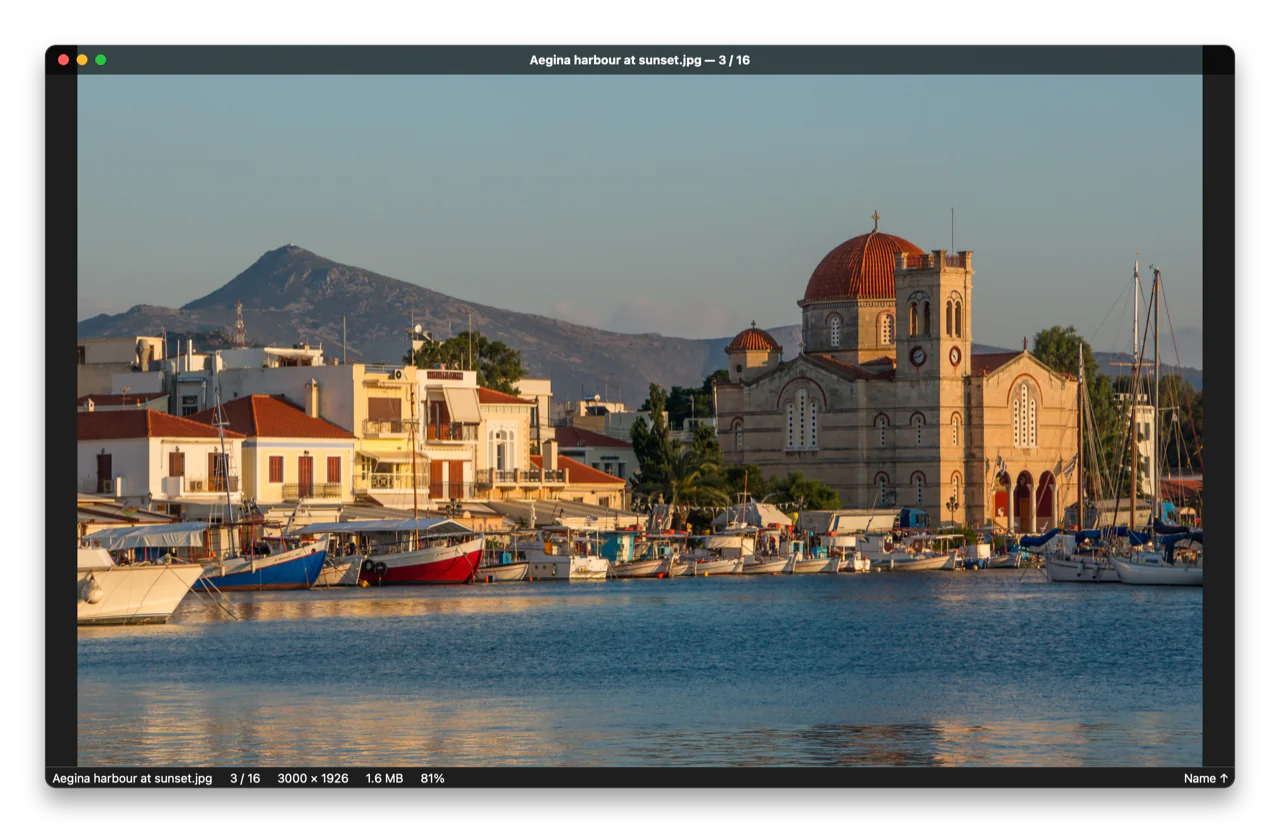
Borderless window: the title bar fades in when you move the mouse and gets out of the way when you look at the photo.
Why another image viewer?
In Preview, double-clicking a photo opens just that photo. The arrow keys can't take you to the next image in the folder unless you select all files in the Finder first. Lumaflip fixes exactly that, and adds what photographers, designers and comic readers miss on the Mac.
| Preview | Lumaflip | |
|---|---|---|
| Double-click one photo, flip through the whole folder | – | ✓ |
| Same order as the Finder window (name, date added, size, icon positions …) | – | ✓ |
| Next image already loaded when you press → | – | ✓ |
| GIMP, Krita, OpenRaster, PSB, QOI, SVG, comics (CBZ / CBR / CB7) | – | ✓ |
| Star ratings, pick / reject, Lightroom-compatible XMP | – | ✓ |
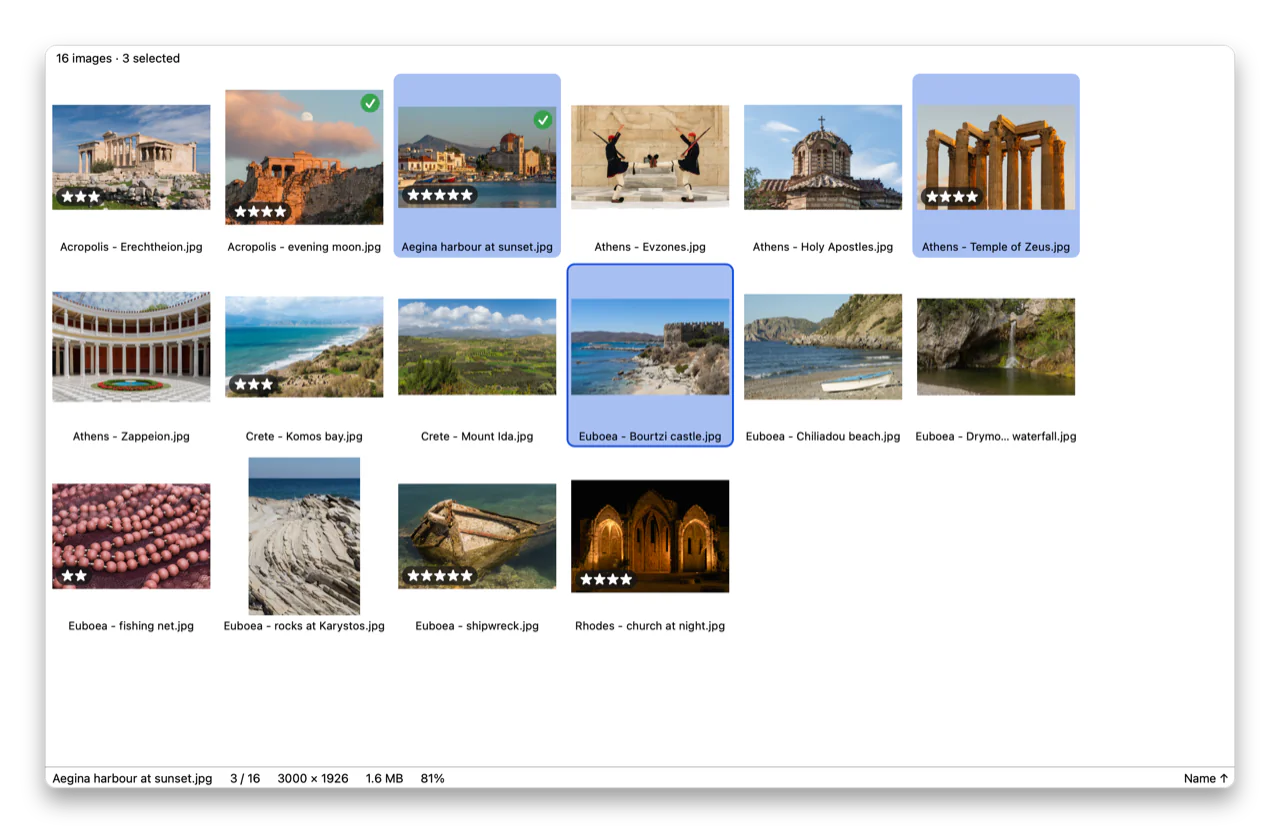
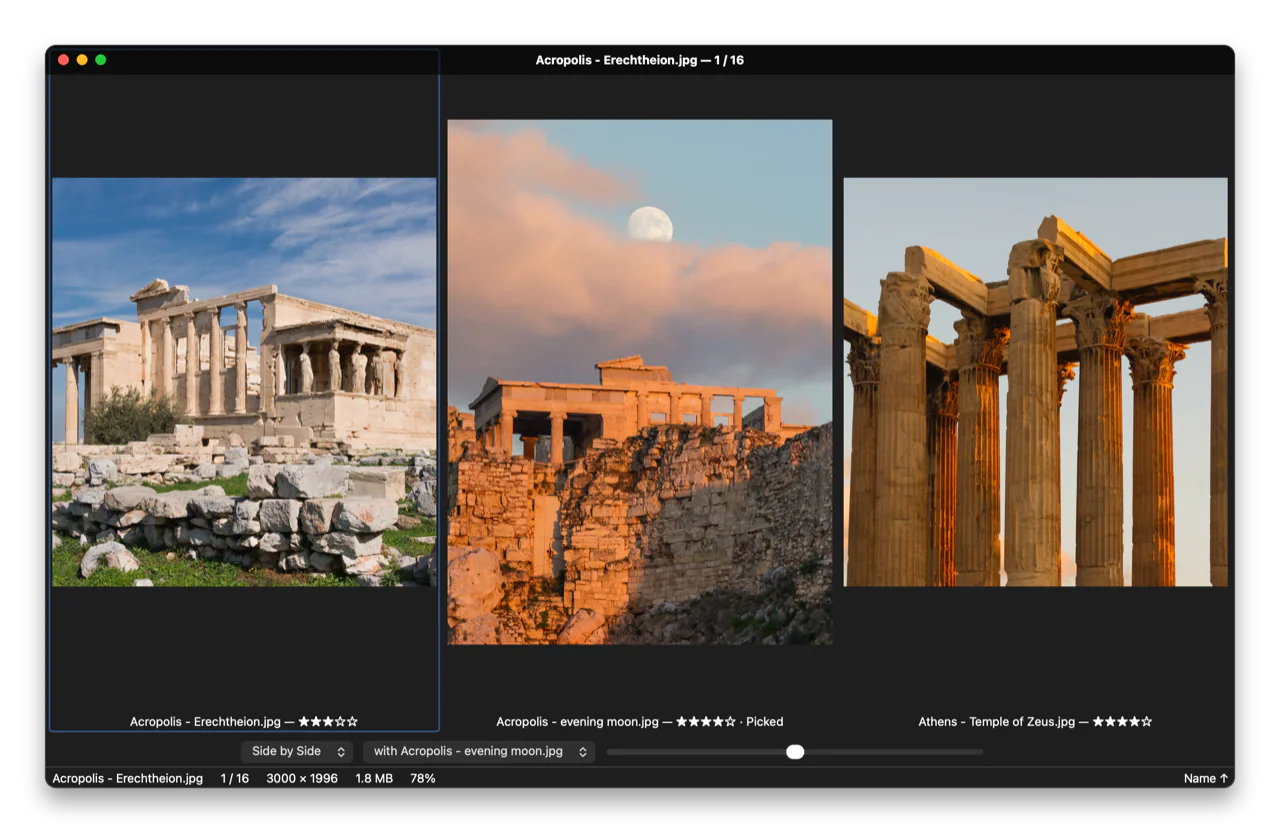
| Grid, compare 2–4 images, loupe, focus peaking, clipping warning | – | ✓ |
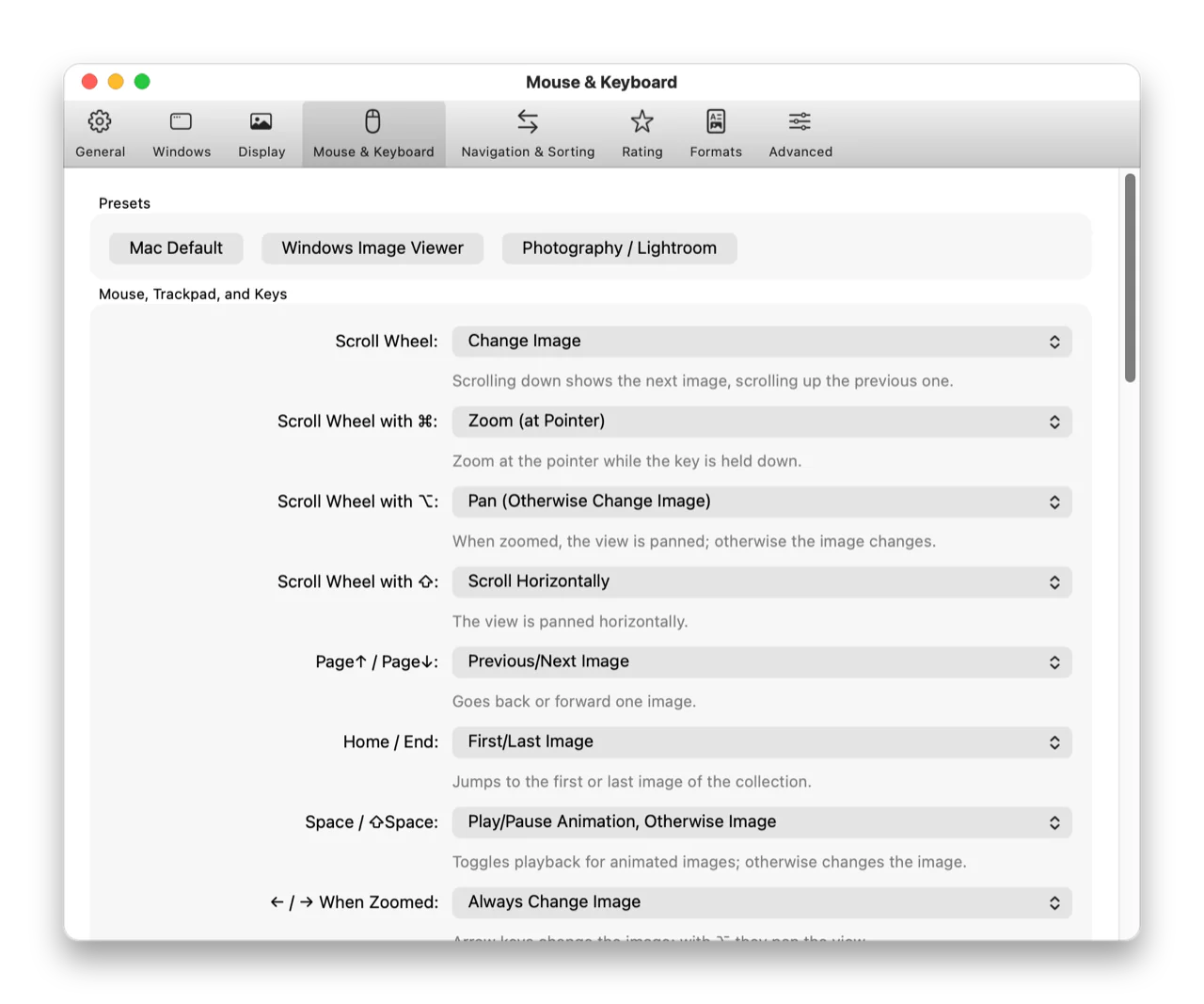
| Every key, click and gesture can be remapped | – | ✓ |
| Open source | – | ✓ |
Preview is great for PDFs and quick edits; Lumaflip is built for looking at many images, fast.
Made for looking at a lot of photos
Everything happens in the background: folders load, neighbours are decoded and thumbnails appear while the current photo stays on screen.
Instant
The first image appears in well under half a second. Neighbours are decoded ahead, so flipping through 24-megapixel photos feels like flipping pages. RAW files show their embedded preview first.
Finder order, live
Lumaflip reads the folder's Finder view settings: sort column, direction, even icon positions. New, deleted and renamed files show up while you browse. Jump to the next folder with ⌥→.
Real HDR
iPhone HDR photos, Ultra HDR JPEG, HDR AVIF and OpenEXR shine with true highlight brightness on XDR and other EDR displays, with an SDR preview and exposure control.
Culling that other apps understand
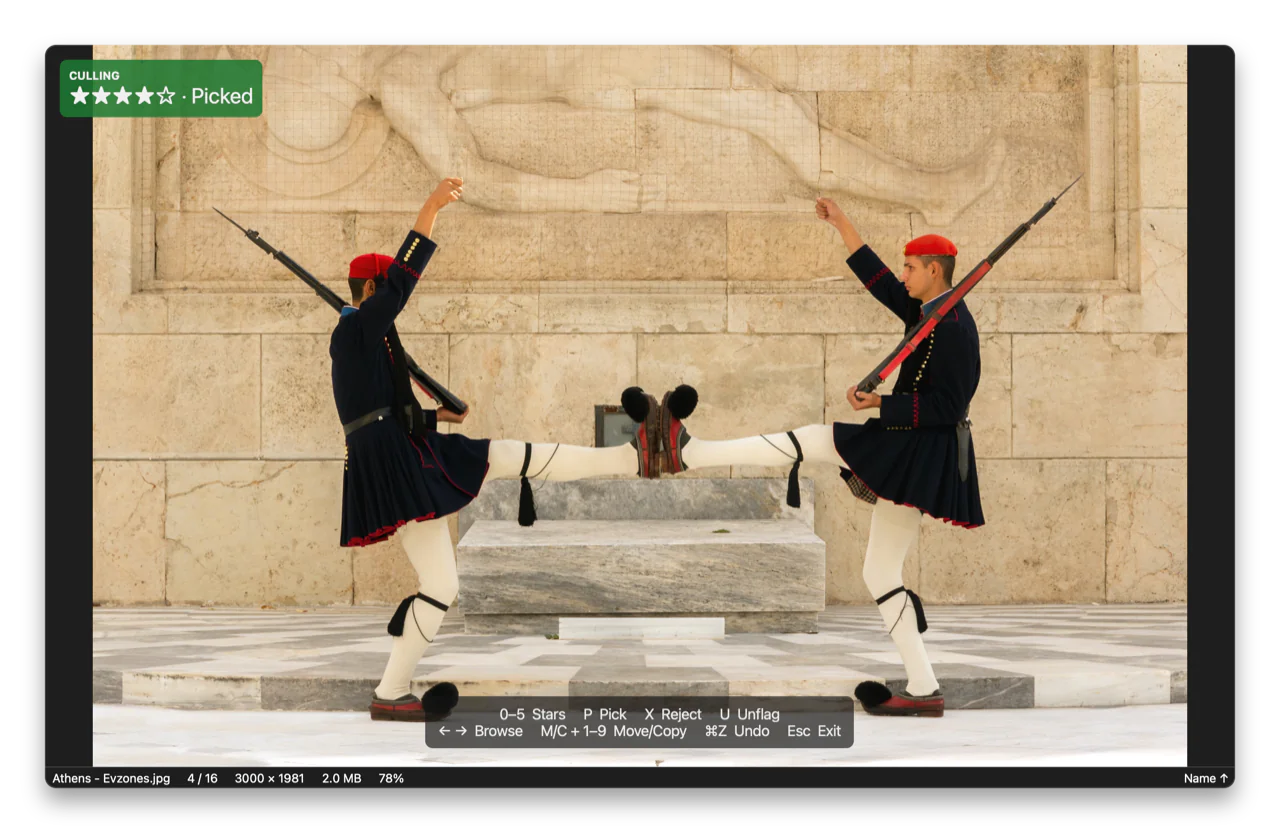
Rate with 0–5, pick with P, reject with X. Ratings go into XMP sidecars that Lightroom, Capture One and darktable read, into the file, or into Finder tags. Move all rejects to the Trash in one step.
Check focus and exposure
Hold L for a 100 % loupe, lock the zoom across a burst, compare up to four images side by side or as a difference, and turn on focus peaking, clipping warnings and the camera's focus points.
Remembers your zoom
Zoom into a detail, flip on, come back: the image is still zoomed where you left it. Press Return to go back to fit.
Comics and PDFs
Open a CBZ, CBR or CB7 archive or a PDF and page through it like a folder, with a right-to-left mode for manga. Nothing is unpacked to your disk permanently.
Folder map
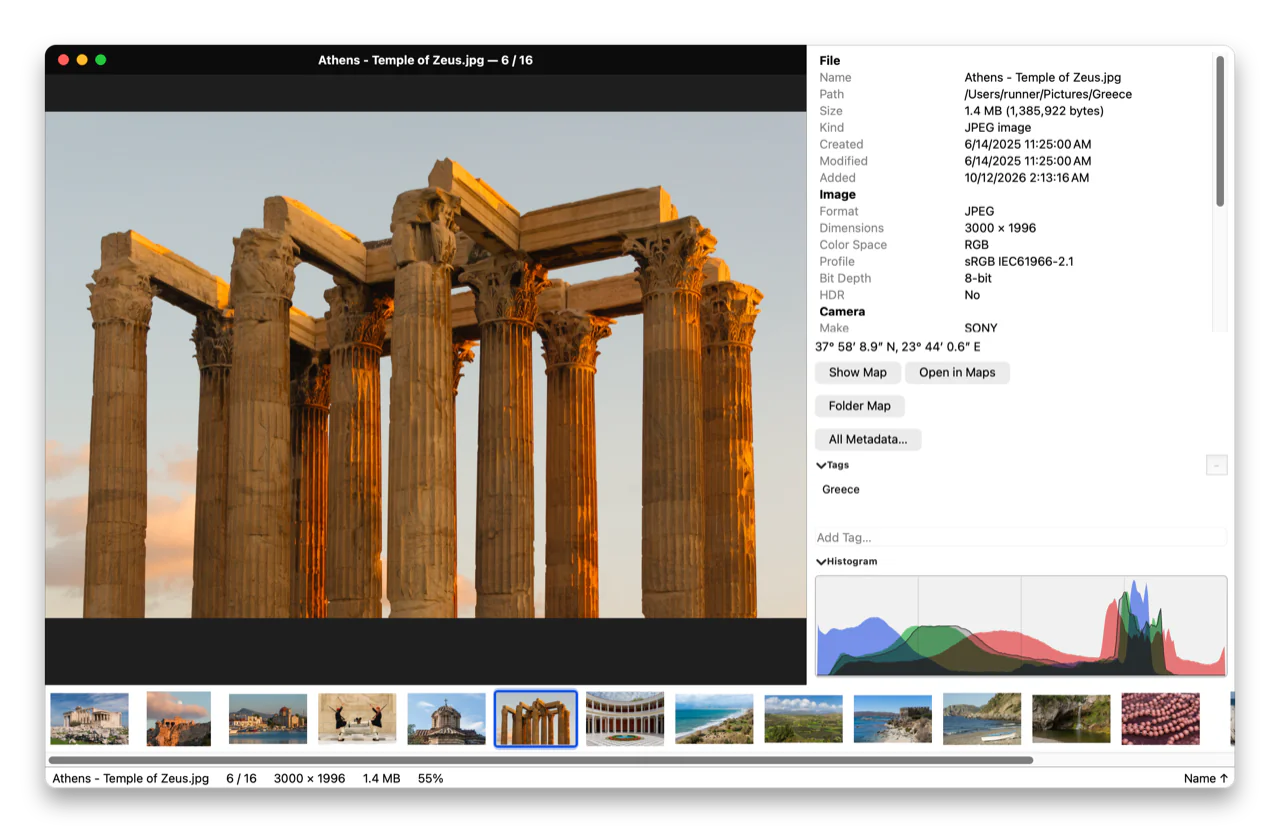
See every geotagged photo of the folder on one map. The current photo is highlighted and follows as you flip. Map data loads only after you ask for it.
Light edits, lossless
Rotate and crop JPEGs without re-encoding, export to JPEG, HEIC, AVIF, PNG or TIFF with or without location data, rename, and run your own shell or Shortcuts actions on a key.
Your keys, your mouse
Every shortcut, scroll and click is configurable, with conflict detection and presets for Mac users, Windows switchers and Lightroom photographers.
Private and sandboxed
No telemetry, no account, no cloud. Unusual formats are decoded in a sandboxed helper without network or write access, so a broken file can't take the app down.
Speaks your language
18 languages, including Deutsch, Français, Español, Italiano, 日本語, 简体中文 and 한국어. Follows the system language or switch any time without restarting.
See it in action
Real screenshots of the app, taken automatically from the current version. Click one to see it larger.
Opens almost anything
Built in, nothing to install. Animations play, multi-page files page, colour profiles and Display P3 are honoured.
Built for the keyboard
A handful of keys is all you need. Press ? in the app to see the rest.
Install
- Download the DMG from the releases page.
- Drag Lumaflip into Applications and start it. Releases are signed and notarized by Apple and update themselves (you can turn that off).
- Optional: choose File → Set as Default App… so a double-click in the Finder opens Lumaflip. You decide which file types.
Or with Homebrew: brew install --cask brokoskokoli/tap/lumaflip
Requires macOS 15 Sequoia or later on Apple Silicon. Prefer to build it yourself? The README explains how.